 @nuxt/hints
Nuxt Hints




A Nuxt module that provides real-time feedback on your application's performance, accessibility, and security right in your browser.
Nuxt Hints integrates directly into the Nuxt DevTools, giving you actionable insights to improve your web vitals, fix hydration mismatches, and audit third-party scripts without ever leaving your development environment.
Getting Started
To install and add the module, you can run the following command:
npx nuxt module add hints
The module is now automatically installed and added to your nuxt.config.ts.
Now you can open your Nuxt app, go to the DevTools, and click the Nuxt Hints icon to get started.
Features
- 🚀 Rich DevTools UI: A dedicated tab in Nuxt DevTools to visualize issues, inspect elements, and get recommendations.
- 💧 Hydration Mismatch Debugging: Side-by-side diffing of server-rendered and client-hydrated HTML to pinpoint the exact cause of mismatches.
- ⚡️ Web Vitals Analysis: Real-time metrics for LCP, INP, and CLS with detailed attribution and element-specific optimization tips.
- 📦 Third-Party Script Auditing: Dashboard to monitor performance, identify render-blocking scripts, and get security recommendations.
- 🧩 Unused Component Detection: Detects statically imported components that aren't rendered during SSR or hydration and suggests lazy-loading them to reduce bundle size.
- 🔍 Interactive Diagnostics:
- Hover to Highlight: Hover over an issue in the DevTools to highlight the corresponding element on your page.
- Click to Inspect: Click to open the component source file directly in your code editor.
- 💡 Actionable Console Warnings: Clear, concise console messages that guide you to best practices and performance improvements.
Visual Interface within Devtools
Nuxt Hints provides a rich, interactive UI inside the Nuxt DevTools panel.
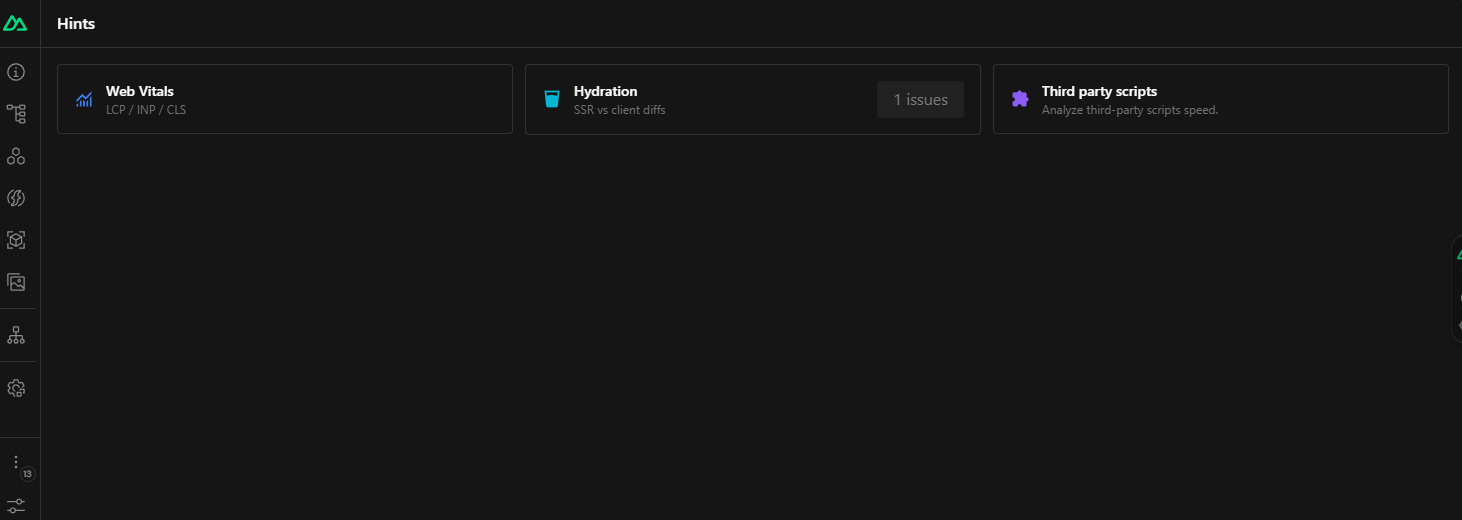
Homepage
A central hub to see a summary of all detected issues at a glance.
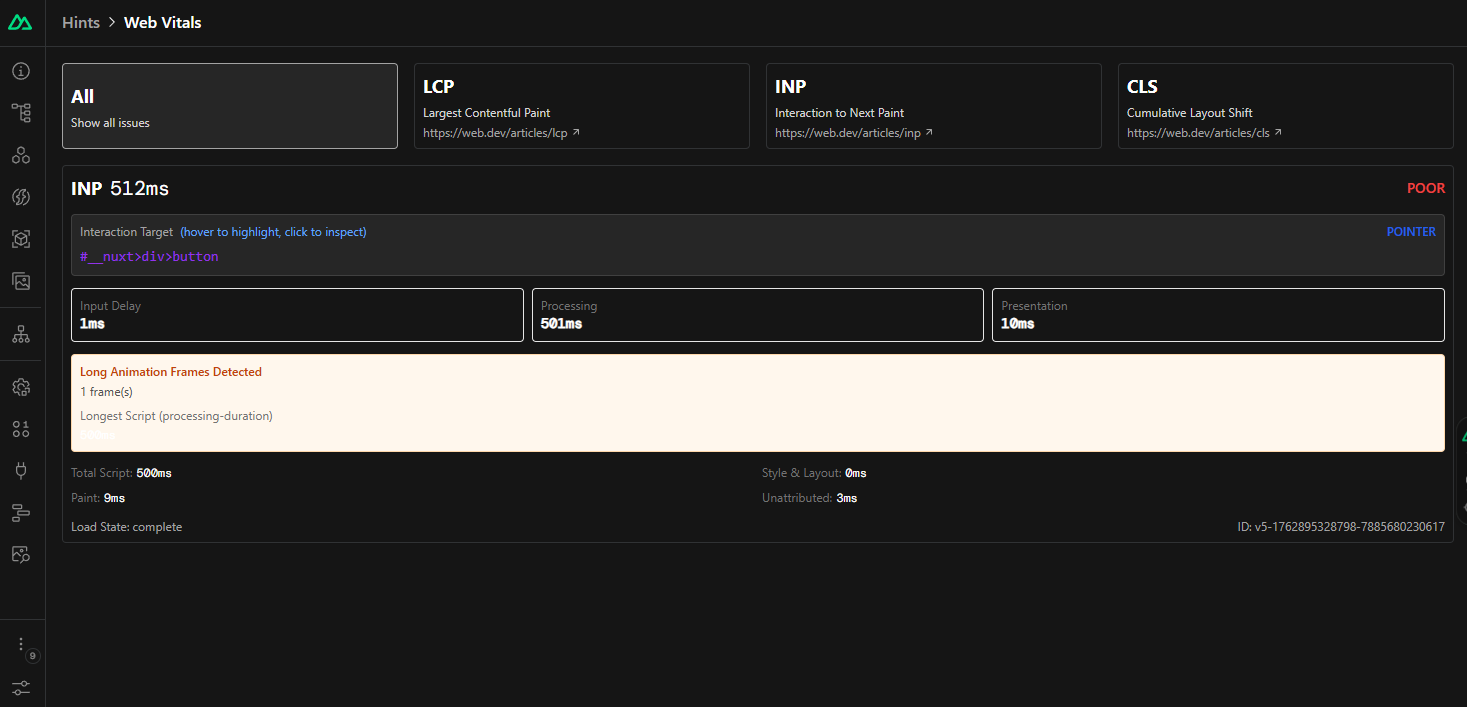
Web Vitals
Drill down into Core Web Vitals metrics. See detailed attribution for LCP, INP, and CLS, inspect the problematic elements, and get context-aware advice.
Hydration Inspector
Debug hydration mismatches with a powerful side-by-side diff viewer. See the exact differences between the server-rendered HTML and the client-side result.

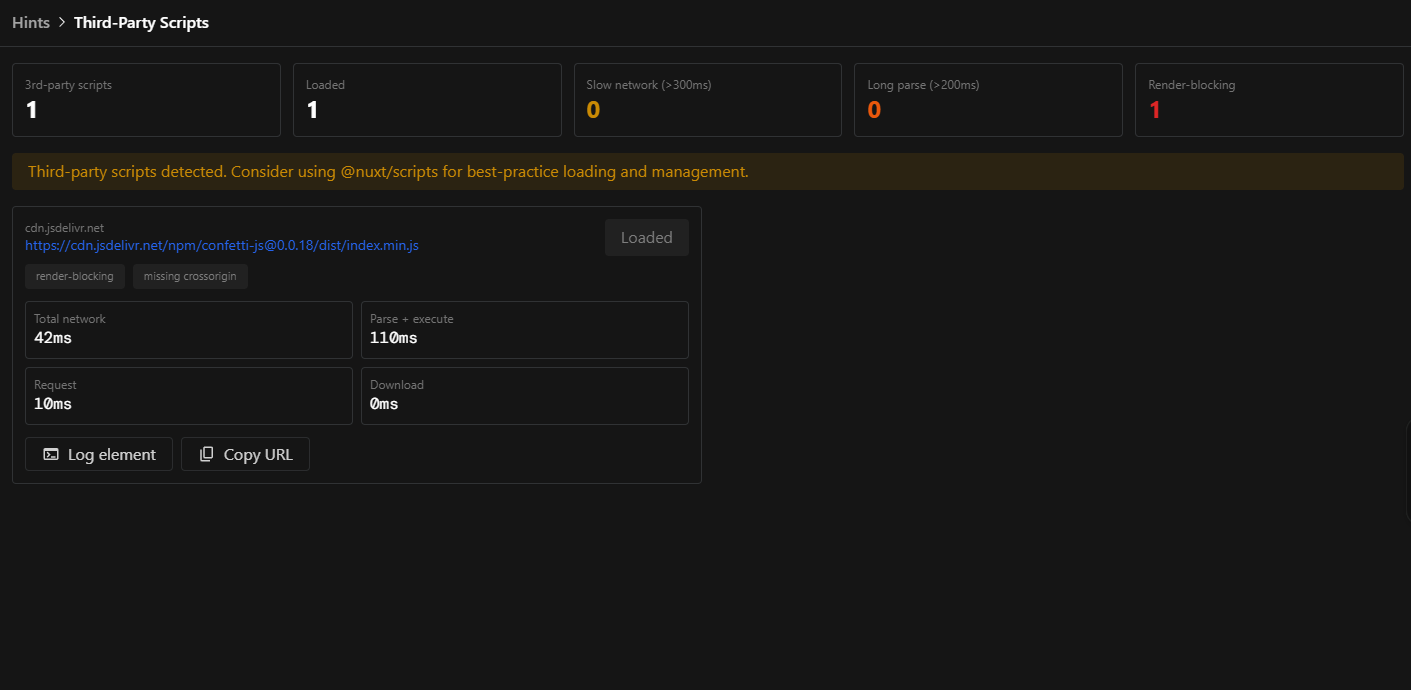
Third-Party Scripts
Analyze all third-party scripts on your page. The dashboard shows loading times, render-blocking status, and security attributes, helping you identify and mitigate performance bottlenecks.
Unused Imported Component Detection (Lazy Load)
Identify statically imported components that were never rendered during SSR or initial hydration. The module suggests converting them to lazy-loaded components to reduce end-users initial bundle size.

How It Works
Performance Monitoring
Nuxt Hints uses web-vitals to gather Core Web Vitals metrics and automatically logs any msetrics that need improvement. It listens for INP, LCP, and CLS and provides detailed attribution for each.
Hydration Mismatch Detection
The module hooks into Vue's hydration process to compare the server-rendered DOM with the client-side DOM. When a mismatch is detected, it captures the pre- and post-hydration HTML for inspection.
Third-Party Script Analysis
Using a combination of a Nitro plugin and client-side observers, Nuxt Hints tracks every script loaded on the page, measuring its performance and analyzing its attributes.
Unused Component Detection (Lazy Load)
At build time, a Vite plugin analyzes your component imports to identify statically imported .vue components. At runtime, the module tracks which of those components actually render during SSR and initial hydration. After the page finishes loading, any imported component that was never rendered is flagged as a candidate for lazy loading.
Suggestions are reported to the console and sent to the DevTools UI via Server-Sent Events, where you can review them per route and dismiss entries you've already addressed. The recommended fix is to either prefix the component with Lazy (e.g., <LazyHeavyComponent>) or use defineAsyncComponent so it is only downloaded when needed.
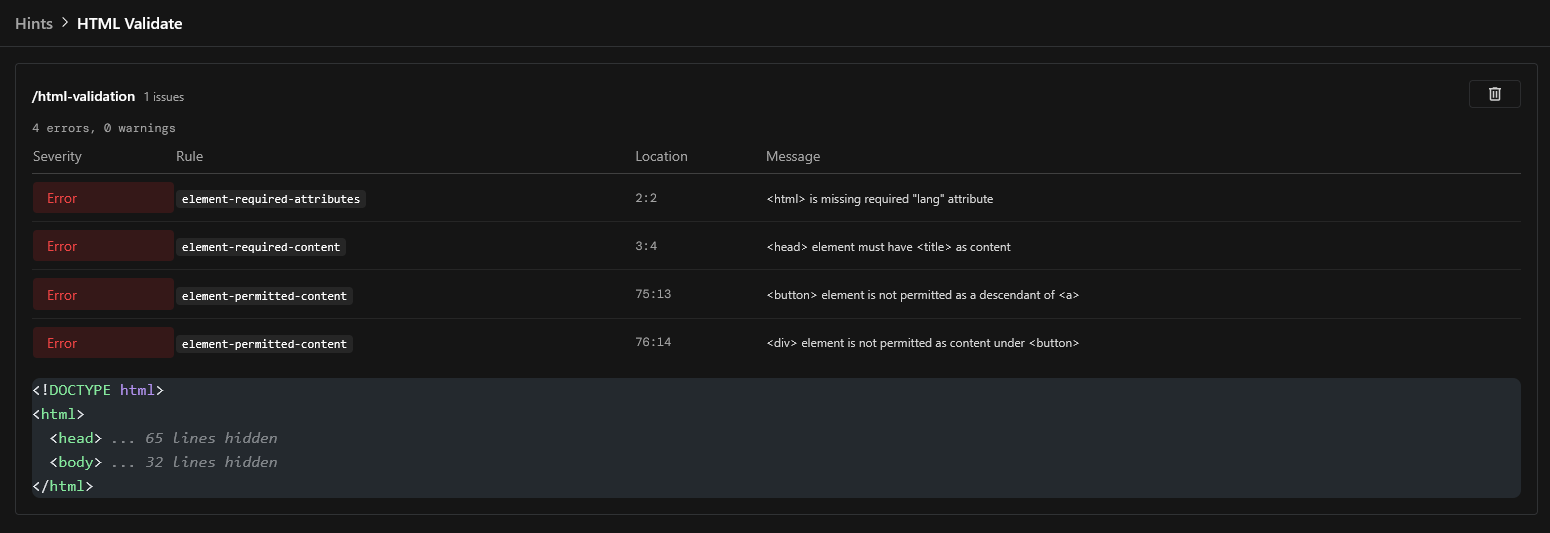
HTML Validate integration
Nuxt Hints includes a built-in HTML validation feature powered by html-validate. On every server-rendered response, the module intercepts the HTML output and runs it through html-validate.
Example Console Output
When Nuxt Hints detects issues, you'll see clear warnings in your browser console:
[@nuxt/hints:performance] LCP Element should not have `loading="lazy"`
Learn more: https://web.dev/optimize-lcp/#optimize-the-priority-the-resource-is-given
[@nuxt/hints] Third-party script "https://cdn.example.com/script.js" is missing crossorigin attribute.
Consider adding crossorigin="anonymous" for better security and error reporting.
Module Options
Configure the module in your nuxt.config.ts under the hints key:
export default defineNuxtConfig({
  hints: {
    devtools: true,

    // Enable or configure individual features
    // if you feel overwhelmed by logs, you can disable some features and fix things step by step.
    features: {
      // Defaults to true for each feature
      hydration: true,
    },
  },
})
Feature toggles
Each feature accepts either a boolean or an object for finer control:
| Key | Description |
|---|---|
hydration | Detect and inspect hydration mismatches |
lazyLoad | Flag unused imported components that could be lazy-loaded |
webVitals | Track LCP, INP, and CLS metrics |
thirdPartyScripts | Audit third-party scripts for performance and security |
htmlValidate | Validate server-rendered HTML with html-validate |
When using the object syntax, the following flags are available:
{
  logs: true,       // Print warnings to the browser console
  devtools: true,   // Show this feature in the DevTools panel
  options: { ... }, // Feature-specific options
}
Development
# Install dependencies
pnpm install

# Generate type stubs
pnpm run dev:prepare

# Develop with the playground
pnpm run dev

# Build the playground
pnpm run dev:build

# Run ESLint
pnpm run lint

# Run Vitest
pnpm run test
pnpm run test:watch

# Release new version
pnpm run release